- If you're moving your stores to a different Fujifilm account, you have the option to disconnect your integrated stores from your current Fujifilm account and move them to a different Fujifilm account. We also allow you to unpublish your products from your store.
Disconnect my store
Disconnecting your store will remove your store from the Fujifilm account.
If you log out of your store in your Fujifilm account, none of your products will be affected. Your products will essentially not be available for the store since you’ve disconnected the store.
If you reconnect your store to the same Fujifilm account in the future, your current products will automatically repopulate. Your products that were previously there will be available again as long as the store is connected.
Check out the steps below or the video to learn how to disconnect your store!
Disconnect your store via the Product Hub
1. Navigate to the store that you want to disconnect in your Product Hub.
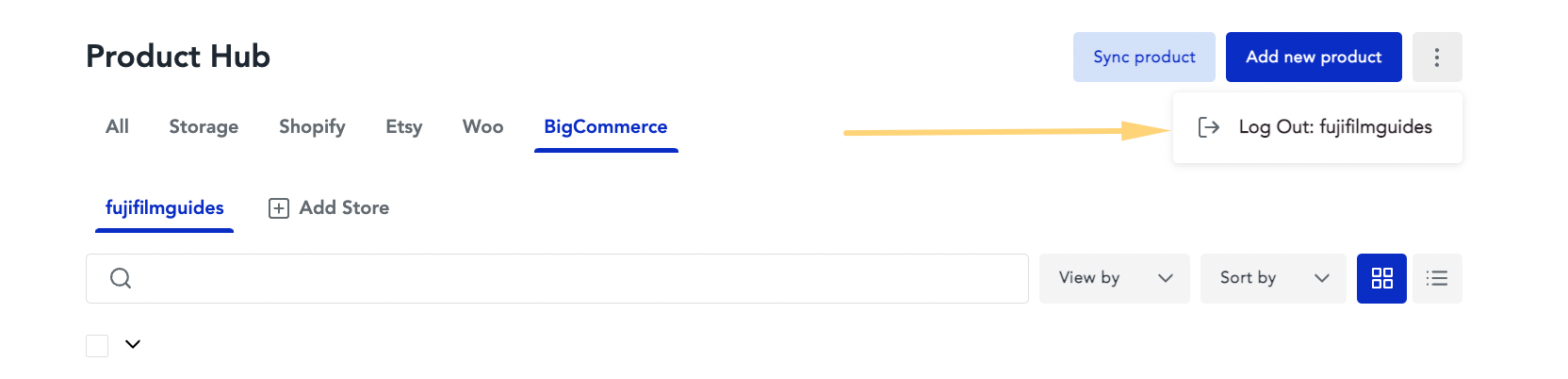
2. Select the "Log Out: YourStoreName" button in the top right.
Disconnect your store via the Stores page
1. Navigate to the store that you want to disconnect in your Product Hub.
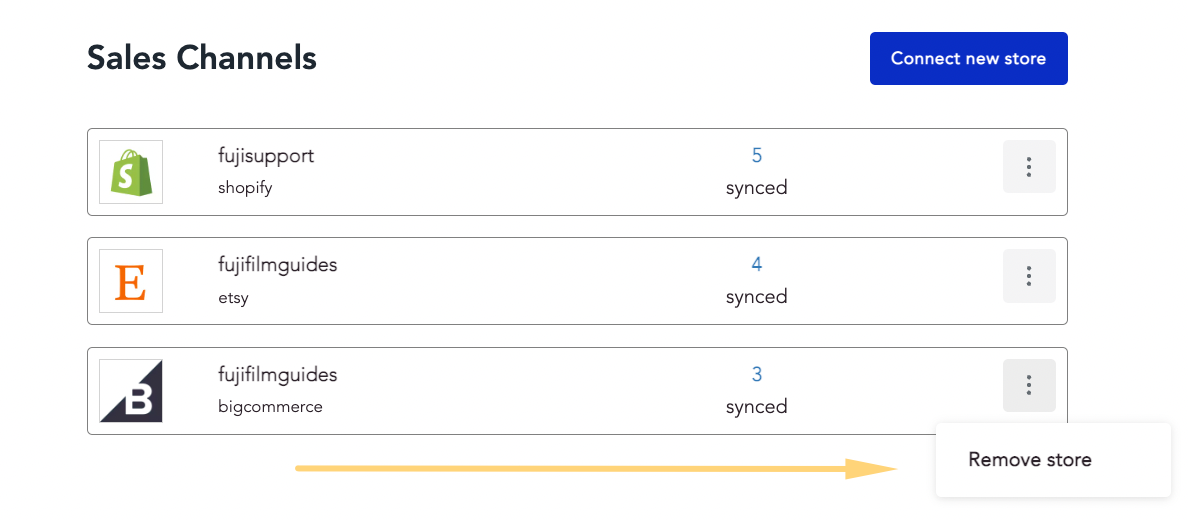
2. Click on the Remove store button.
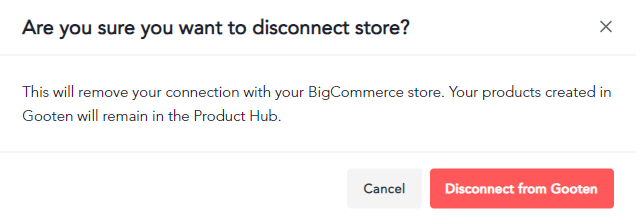
3. You'll receive a pop-up that asks you to confirm that you want to disconnect your store from Fujifilm. Click on the Disconnect from Fujifilm button to disconnect your store.
Entirely disconnecting your Shopify stores
In order to entirely disconnect the store and the products, you would need to log out of the store and then remove our app from your Shopify admin. That will result in all of the products being disconnected from Fujifilm.
Please note that removing our app from your store can’t be undone and if you want to start offering Fujifilm products again, you would need to recreate all products with us from scratch.
Entirely disconnecting your Etsy, WooCommerce, and BigCommerce stores
In order to entirely disconnect your store and the products, please reach out to our Partner Support Team to completely remove your Etsy store from Fujifilm. Once our team disconnects your store and transfers it to a new account, your products will no longer be available, and you will need to recreate them from the beginning. This action removes all of your store's products and data from our database and cannot be undone.
Connect your store to a different Fujifilm account
After disconnecting your store from the original Fujifilm account, simply log into your other Fujifilm account and connect your recently disconnected store.
1. Go to the Stores page and click on the Connect new store button.
- Alternatively, you can connect your store within the Product Hub page as well.
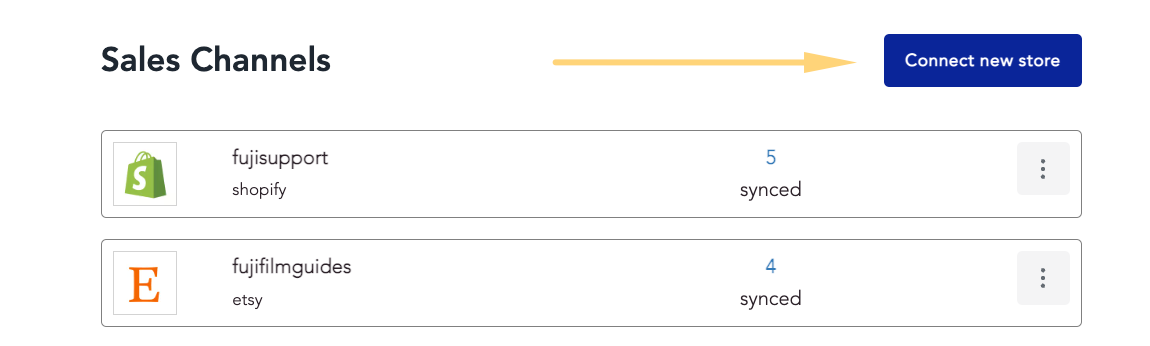
2. Choose the type of store that you want to connect.
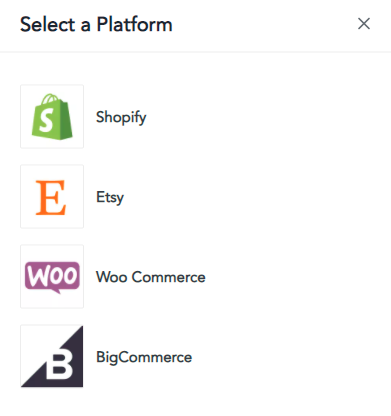
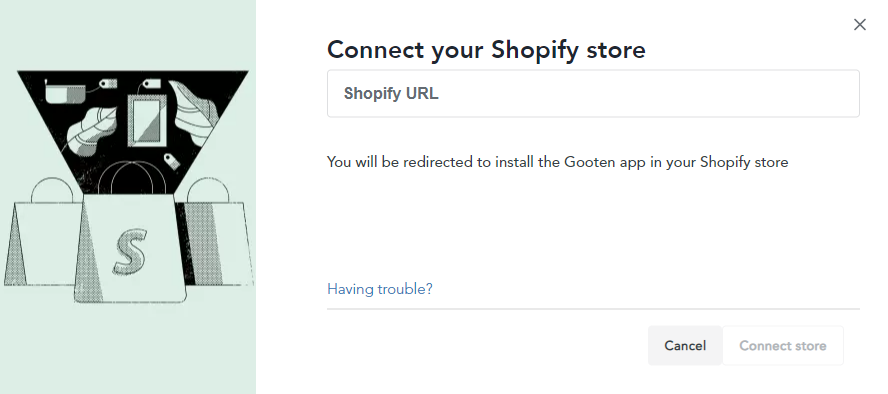
3. Enter the store URL that you just disconnected previously and proceed with connecting your store to your Fujifilm account.
- Please note that your store may still need our Fujifilm plugin installed before connecting.